Remote Replica
Remote Replica is designed to replicate, or clone, your Fresh Start Desktop to another server, often in a different location India. Any changes to your machine will be quietly duplicated in an automated manner, without needing any further user action after the initial setup.
This handy functionality can be applied in several ways; below we highlight two common use cases.
Please note that currently Remote Replica works only with Fresh Start machines, though it can also be employed within DaDesktop for work (DD4W).
First: Set up a Remote Replica (clone) of your desktop on a server in a different data centre
As a precaution, you might want to create a Remote Replica of your desktop on a server in another data centre India, just in case the primary server goes down for any reason. If that happens, you can switch to the replica and pick up exactly where you left off.
For example, our original Fresh Start machine resides in the UK data centre (bd3uk).
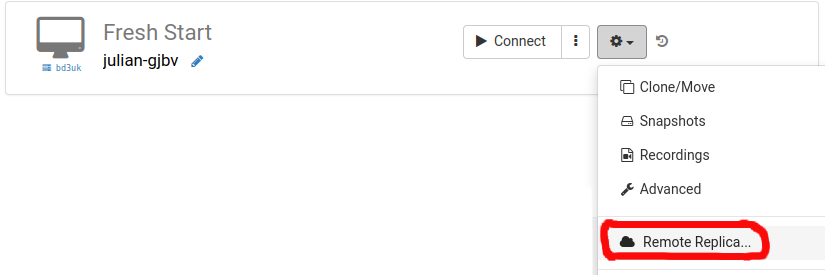
Pick the data centre for your Remote Replica – ideally one that’s different from where your current machine is. You might even go for a centre in another country.
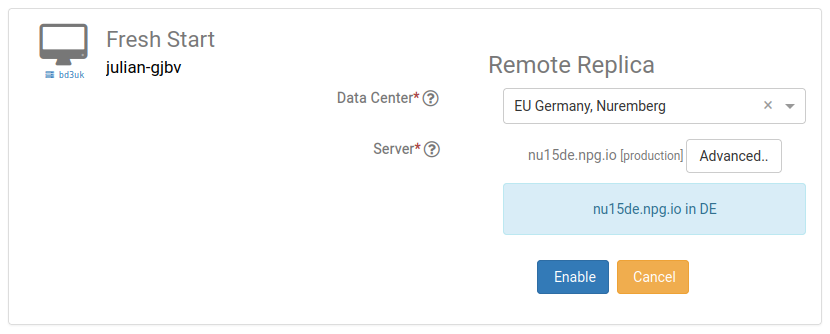
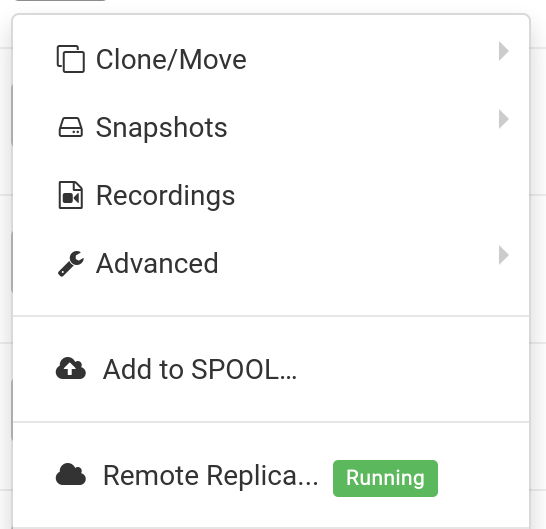
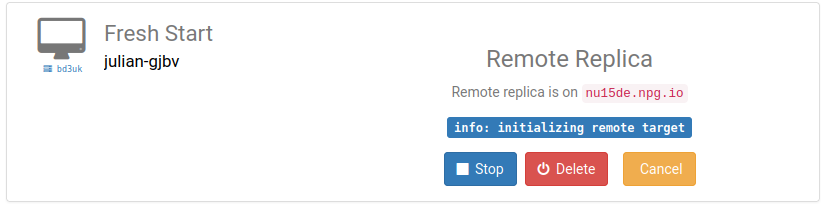
The remote replica desktop is now being provisioned. How long this takes depends on the replica’s distance from the source and the size of your desktop. Meanwhile, you can keep working on your original machine as usual.
Restoring the Remote Replica
Should you be unable to access your FreshStart desktop for any reason, you have the option to restore from the Remote Replica you set up earlier.
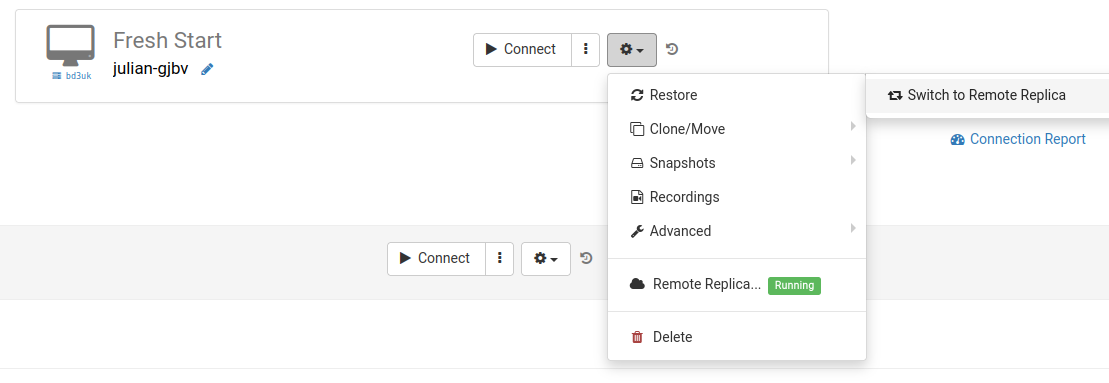
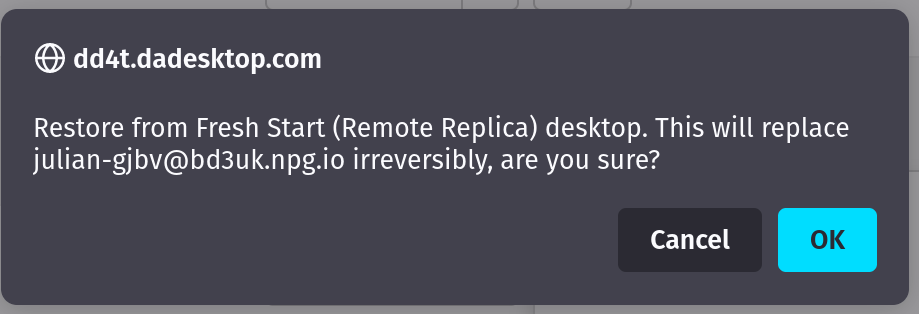
After using the Remote Replica, you cannot return to the original desktop. That’s fine, since the replica is an identical copy.
Keep in mind that after switching to your replica desktop, the replication process stops. If you want another backup, you’ll need to repeat the initial setup to create a new replica.

Scenario two: Locate the replica nearer to you for better latency
Remote Replica proves invaluable when you want a copy of your Fresh Start machine close to your physical location while you’re building course content. For instance, imagine a trainer based in Germany who’s running a course in South Africa. This kind of setup is fairly common with DaDesktop, given how effortlessly the system handles such scenarios.
In that situation, placing the course’s Fresh Start desktop on a South African server isn’t ideal – the latency would be far too high. Instead, you create a Remote Replica of your desktop within Europe to minimise delays. The replica stays synced with every change you make.
Once you’ve finished your work on the original desktop, restore the Remote Replica to the trainer’s machine in South Africa. This allows for quick copying to both the trainer’s machine and the participants’ devices.