Advantages
Cloud desktops offer substantial value to enterprises aiming to facilitate live, instructor-led learning. This advantage is particularly evident when delivering IT training courses to participants located across diverse geographical regions.
A growing number of organizations have selected DaDesktop for local, live, instructor-led training due to the streamlined process of pre-installing and configuring complex software applications. These setups can then be rapidly duplicated to dozens or even hundreds of additional cloud desktops with minimal effort.
The following section outlines why instructors, learners, and institutions prefer DaDesktop for their training requirements and the specific advantages they have realized.
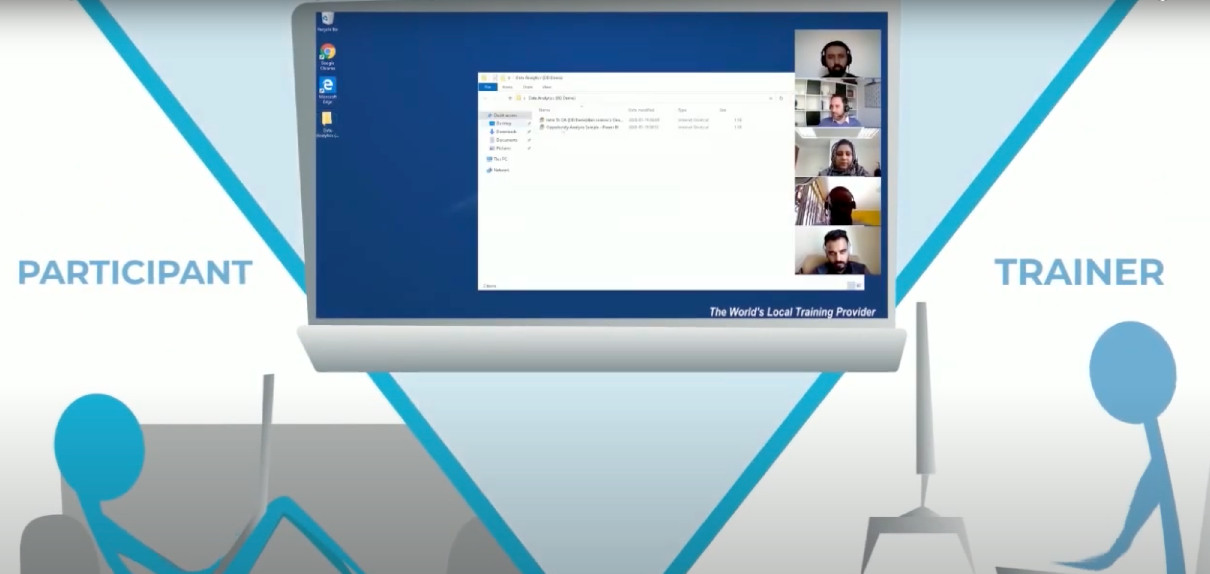
Organizations (enterprises, educational institutions, government bodies)
- Cost-efficient
- Leveraging DaDesktop is considerably more economical compared to utilizing virtual machines from AWS, Azure, or Google Cloud.
- Since DaDesktop focuses on the short-term utilization of cloud desktops rather than long-term cloud hosting, it enables a simpler and more budget-friendly pricing structure.
- Scalable
- Enterprises utilize DaDesktop to deliver IT training to large cohorts, seamlessly cloning pre-configured cloud desktops to over 50 participants at once without disruption.
- DaDesktop servers can store thousands of virtual machine images simultaneously, allowing the scale of course participants to far exceed the capacity of a standard physical classroom.
- Rapid deployment
- With DaDesktop, cloud desktops are rapidly provisioned at the start of a training session and promptly decommissioned once the session concludes.
- DaDesktop cloud desktops can be cloned up to 100 times faster than public cloud machines on AWS or traditional classroom workstations.
- User-friendly
- An intuitive interface enables on-the-fly setup and modification of the learning environment, even after the class has commenced.
- Extensible
- DaDesktop offers a straightforward channel for requesting new features.
- DaDesktop supports a public API and extensions, facilitating custom integrations with third-party systems such as LDAP, OpenID-Connect, and LMS platforms.
- Secure
- User data is not retained on DaDesktop beyond the duration of the training session.
- Each cloud desktop is designed as a temporary and self-contained computing environment.
- Accessible
- There is no need to seek permission from the IT department to allow software to bypass corporate firewalls.
- The complete Windows or Linux OS desktop environment is accessible directly within the browser, eliminating the need for plugin installations.
- Public, Private, and On-premise deployment
- DaDesktop can be accessed via public or private servers, offering users varying levels of exclusivity.
-
Additionally, DaDesktop can be installed on-premise within the customer's own data center.
Try DaDesktop today!
Instructors
- Convenient
- Instructors can spin up as many cloud desktops as required, assigning one to each participant for the entire training session.
- Instructors can pre-install and configure a single cloud desktop with the necessary software and OS settings, then simply clone it to as many participants as needed. This eliminates the time-consuming setup adjustments during class.
- Instructors can conduct training sessions using only a browser on their laptop, from the comfort of their home or office.
- Fast
- Instructors can launch multiple cloud desktops for numerous participants simultaneously within seconds.
- Interactive
- Instructors can view participants' desktops and assume control of them at any time, mirroring the experience of a live physical classroom.
- Recordable
- Trainers can record the entire training session to share with participants later.
-
The recorded sessions can also be reviewed by the instructor as self-feedback to enhance future course deliveries.
Try DaDesktop today!
Participants
- Convenient
- Participants can access DaDesktop from the browser on their laptop or PC using only the URL provided by the instructor.
- No software installation is required. Participants simply log in to DaDesktop and start using the Windows or Linux OS desktop environment directly within their browser.
- Upon joining the training session, participants have immediate access to all tools, materials, and exercises prepared by the instructor in advance.
- When participants switch their browser to "full-screen" mode, the cloud-based Windows or Linux environment occupies the entire screen, feeling like a native OS running on their laptop rather than a nested browser application.
- Participants can engage in training sessions from the comfort of their home or office.