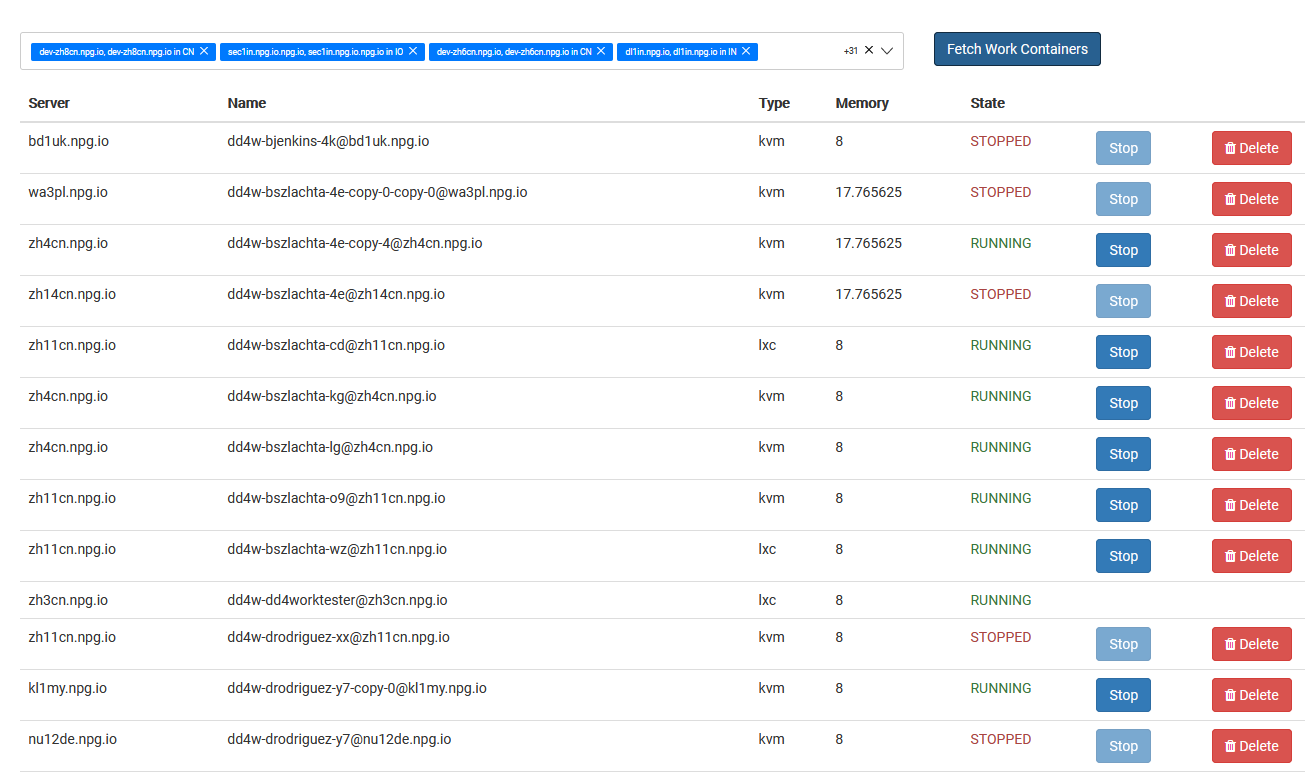
Administering Work Desktops
With the Managing Work Desktops page, Super Administrators can view and manage every DaDesktop for Work desktop from a single, unified interface. These work desktops are built for ongoing usage, each assigned to a specific user, ensuring secure, uninterrupted access to their desktop environment.
Work Desktop Listing
This page presents all work desktops along with their current status and essential details, enabling administrators to swiftly spot desktops, check their availability, and manage them as needed.
Actions Available
Based on the desktop's condition and current state, administrators can execute management operations right from the interface. These tasks keep work desktops well-maintained over their entire lifecycle, making sure users always have access to the environments assigned to them.
Centralised Management
The Managing Work Desktops page offers a unified view for overseeing work desktop resources. It streamlines administration by letting Super Administrators keep an eye on and manage user work desktops from one place, without impacting other desktop types designated for training or standalone use.