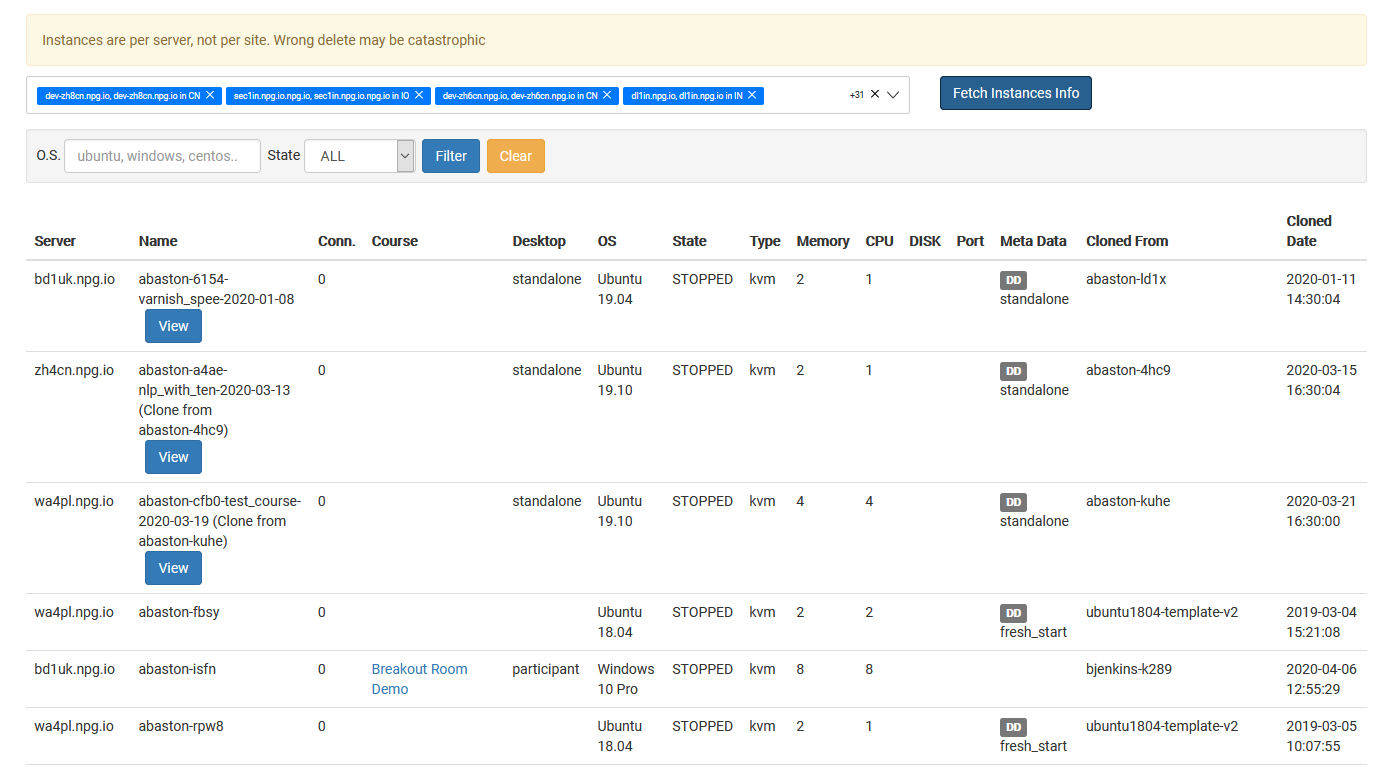
Managing All Desktop Instances
The Managing All Desktop Instances page offers Super Administrators a unified view to oversee and handle all desktop instances across the platform. No matter which organization, course, or server a desktop belongs to, you get a complete snapshot, simplifying system monitoring and administrative work.
What You Can Accomplish
- See every desktop instance in a single, consolidated view.
- Use search and filtering to locate particular machines swiftly.
- Look up the live status and details of any desktop instance.
- Carry out management tasks on chosen desktop instances as needed.
- Keep an eye on desktops across various organizations, servers, and data centres—all from one central spot.
Who Can Use This Feature
The Managing All Desktop Instances feature is a Super Administrator-only tool. It’s designed for admins who need to monitor and manage desktop instances across the entire DaDesktop platform, rather than being limited to a single organization or course.