Using Desktop as a Chrome Application
One common hassle of running the desktop inside a browser tab is that keyboard shortcuts (like ctr+w, ctr+F4) often get caught by the browser instead of reaching the app.
A neat workaround is to turn the webpage into a standalone app using Chrome (or any Chromium‑based browser).
1. Head to More Tools -> Create short-cut on your computer desktop
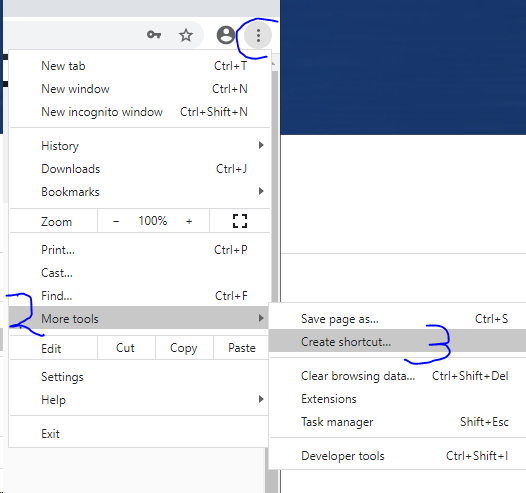
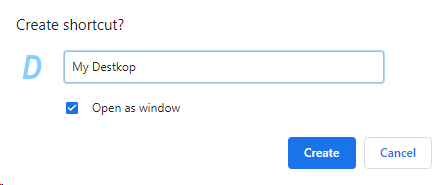
2. When creating the shortcut, select "Open as window"
3. Launch your new app by double‑clicking the desktop shortcut
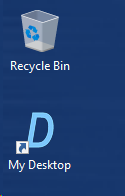
4. Open your application and enjoy keyboard shortcuts that work exactly as they should